Sharepoint Extraction Setup
This page explains how to connect your SharePoint Online server as a source for document analysis.
Step 1: Get your Sharepoint URL
Navigate to the folder you are planning to connect as source for documents analysis, you will get something like:
https://yourcompany.sharepoint.com/sites/TeamSiteName/Shared%20Documents/Forms/AllItems.aspx
Step 2: Copy the values for connection setup
Note two things you will need to get from that URL:
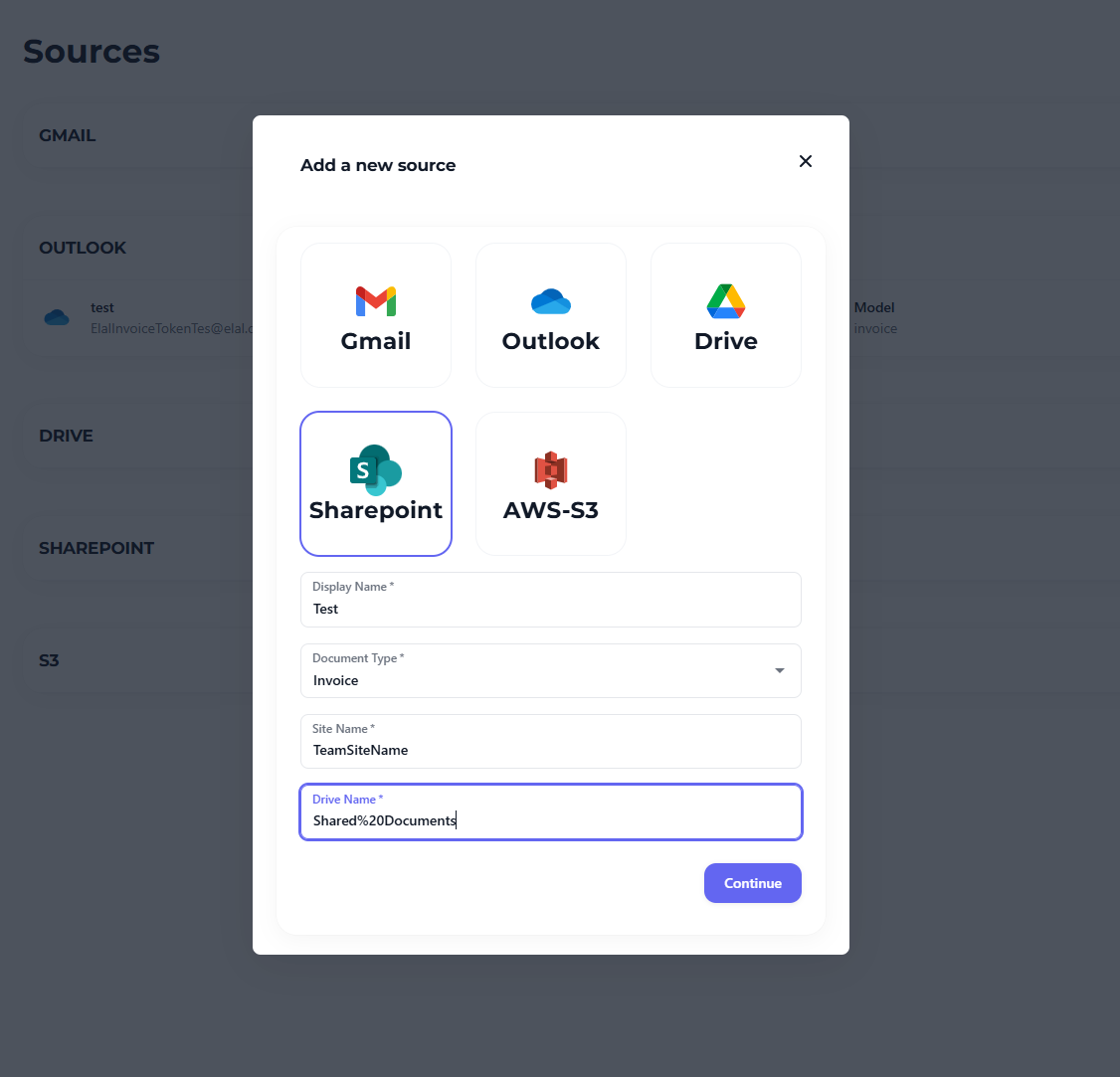
- Site Name - appears after '/sites/', in the example above it is 'TeamSiteName'
- Drive Name - appears after the site name, in the example above it is 'Shared%20Documents'. Copy the value as-is, exactly how it appears in the URL.
Copy these two values and proceed to connecting the source
Step 3: Create a connection
- Go to Sources in the Docflo interface
- Click Add New Source
- Select Sharepoint as the source type
- Provide site name and folder nme
- Click "Continue" to proceed to authentication
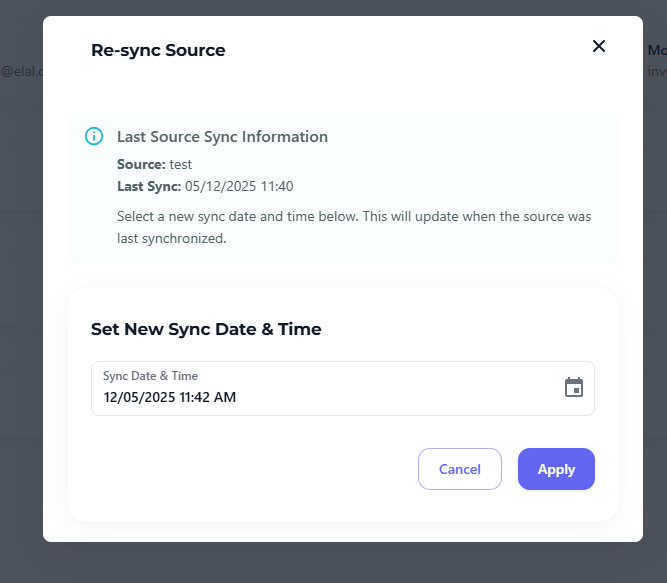
Once you authenticate you will be able to see the source added and syncing. Please note that only newly uploaded documents will be processed, if you wish to sync history back - click on the menu button and re-sync to date in the past that you wish to start from.