Bring your own storage

When setting up your Docflo account, one of the most important decisions you'll make is selecting your storage provider. Docflo offers multiple storage options to meet different business needs, compliance requirements, and geographical preferences.
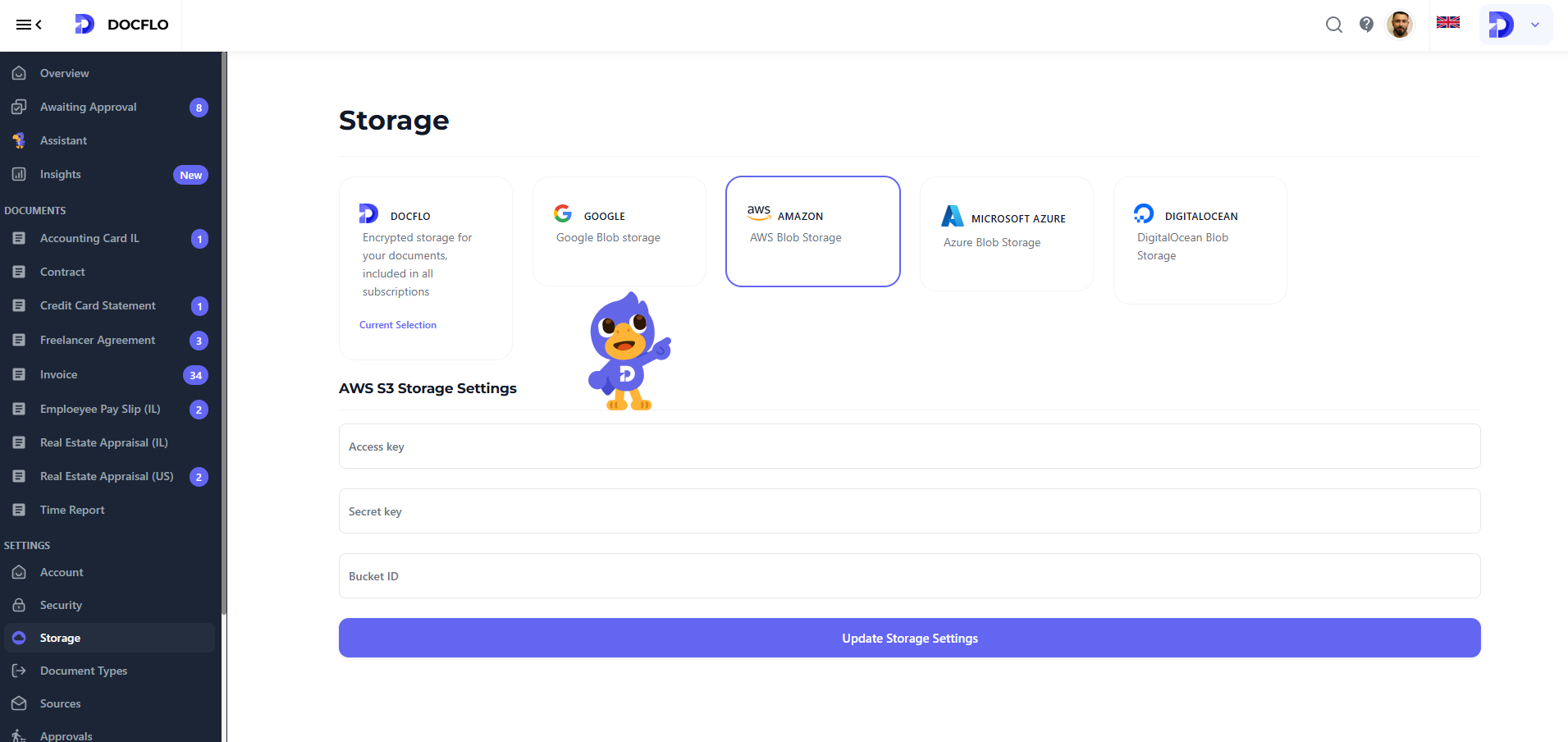
Available Storage Options
Docflo Storage (Default)
Docflo is the default storage option that comes pre-configured with your account. This managed storage solution provides:
- Seamless integration with all Docflo features
- Automatic backups and redundancy
- No additional configuration required
- Optimized performance for document processing workflows
Other options
- Google Cloud Storage
- AWS S3
- Microsoft Azure Blob Storage
- DigitalOcean Spaces
Making the Right Choice
When selecting your storage provider, consider these factors:
- Compliance Requirements: Ensure your chosen provider meets your industry's regulatory standards
- Geographic Location: Choose a provider with data centers in your preferred regions
- Integration Needs: Consider how the storage will integrate with your existing infrastructure
- Cost Structure: Evaluate pricing models based on your expected usage patterns
- Performance Requirements: Consider latency and throughput needs for your workflows
When creating your Docflo account, your default storage is set to Docflo. If you wish to change to a different storage provider, it's highly recommended to make this configuration change on day 1 of your account setup.
Changing storage providers after you've already processed documents and established workflows can be complex and may require data migration. Planning your storage strategy from the beginning will save you time and potential complications later.